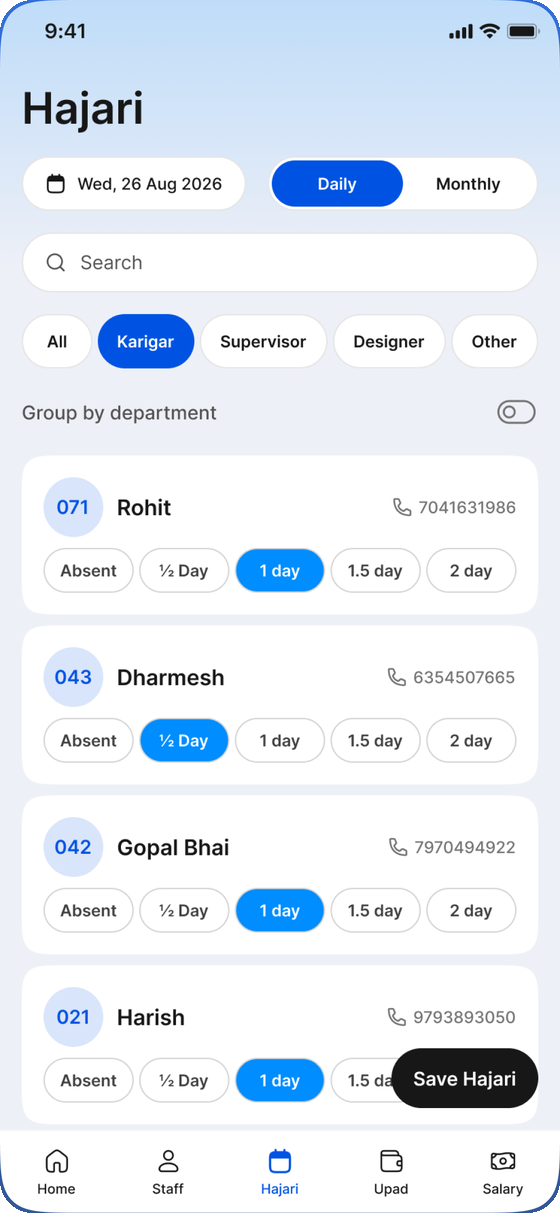
Hajari in seconds
Tap absent, ½ day, 1, 1.5 or 2 days per person — daily, or as a whole month on one grid. Filter by role, group by department, save the lot in one go.

Apex is one app for your people and your machines. Take hajari in seconds, record upad, let salary calculate itself, and capture every machine's production — scanned straight off the panel and synced live to everyone.
Organizations register on the web and get a 30-day free trial. There is no sign-up inside the app.
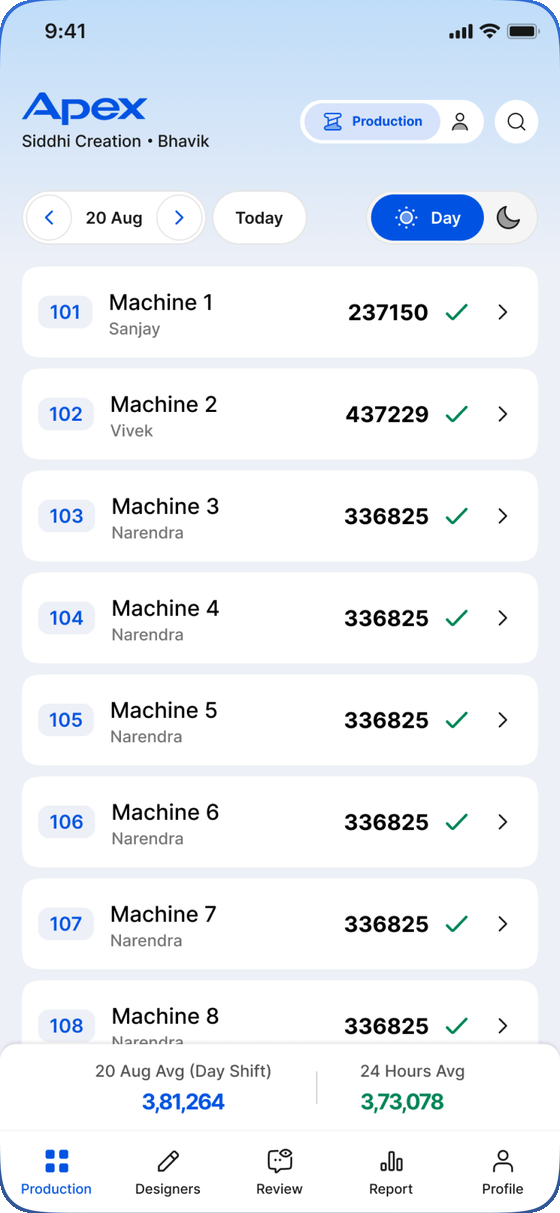
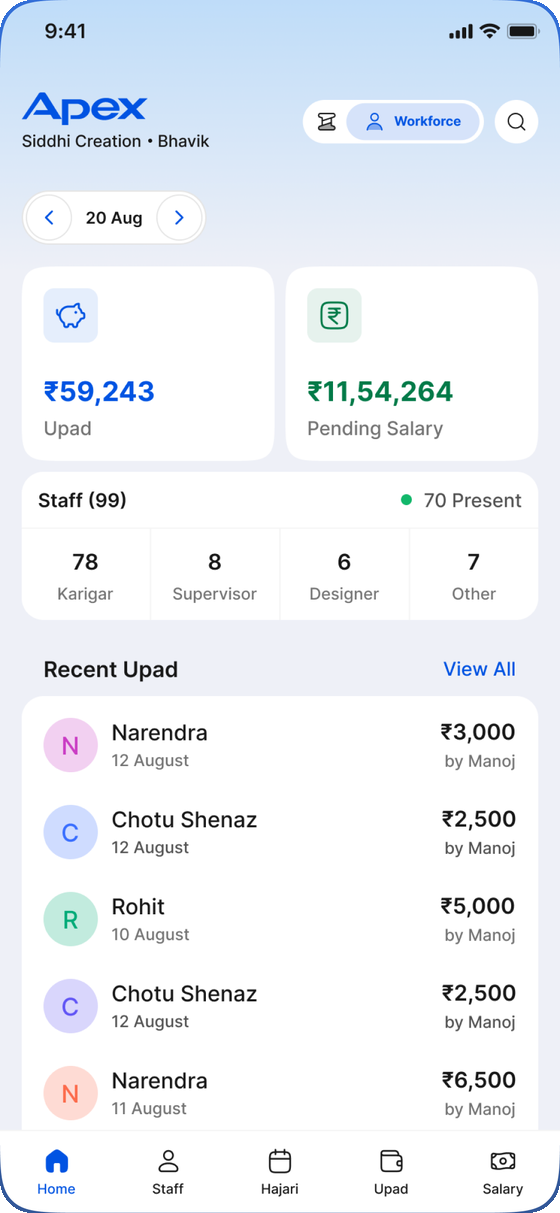
Apex used to be two apps. It is one now. A pill at the top of the screen switches between Production — what each machine made, shift by shift — and Workforce — who worked, what they were paid and what they are owed. Same login, same organization, same live data.
The switch as it appears in the app header.
Tap absent, ½ day, 1, 1.5 or 2 days per person — daily, or as a whole month on one grid. Filter by role, group by department, save the lot in one go.
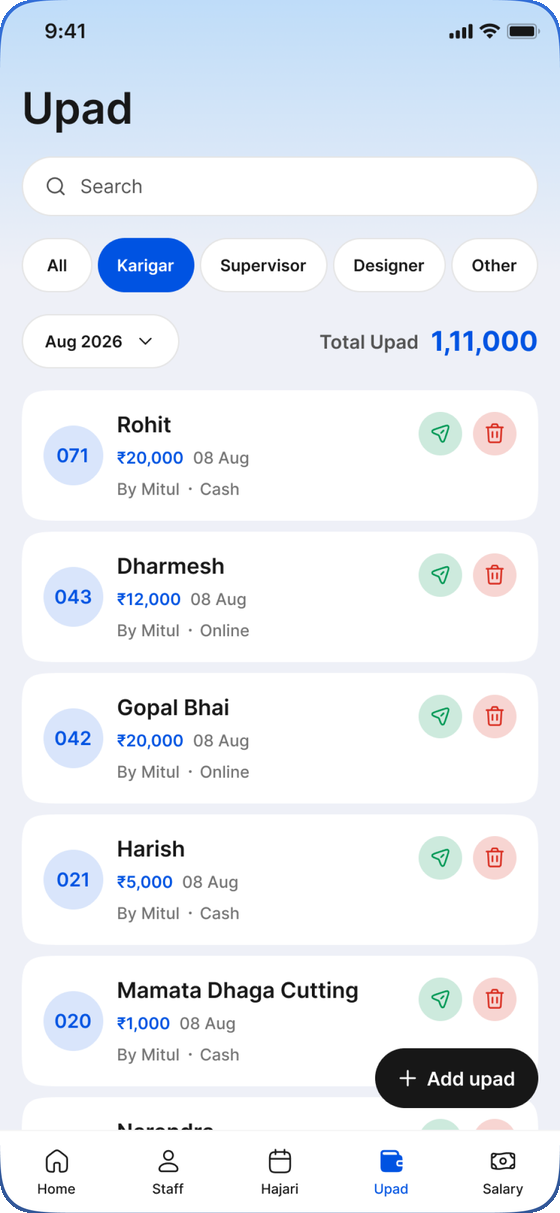
Record a cash or online advance against anyone on the floor and share a clean receipt straight to WhatsApp. Every upad is deducted at salary time automatically.
Monthly pay comes out of hajari with upad deducted. Machine-bound rates, production bonus slabs and no-leave bonuses are applied for you. Save the payroll and share per-person slips.
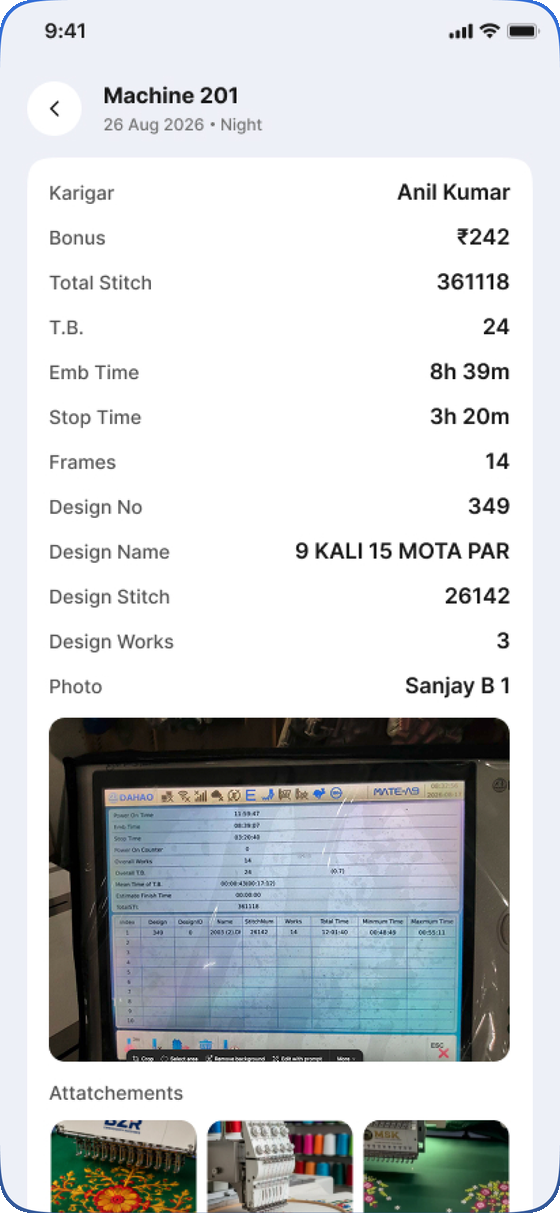
Log every machine's output by day and night shift, with the karigar credited on each. Recording production marks that karigar present — a shared machine counts as half a day each.
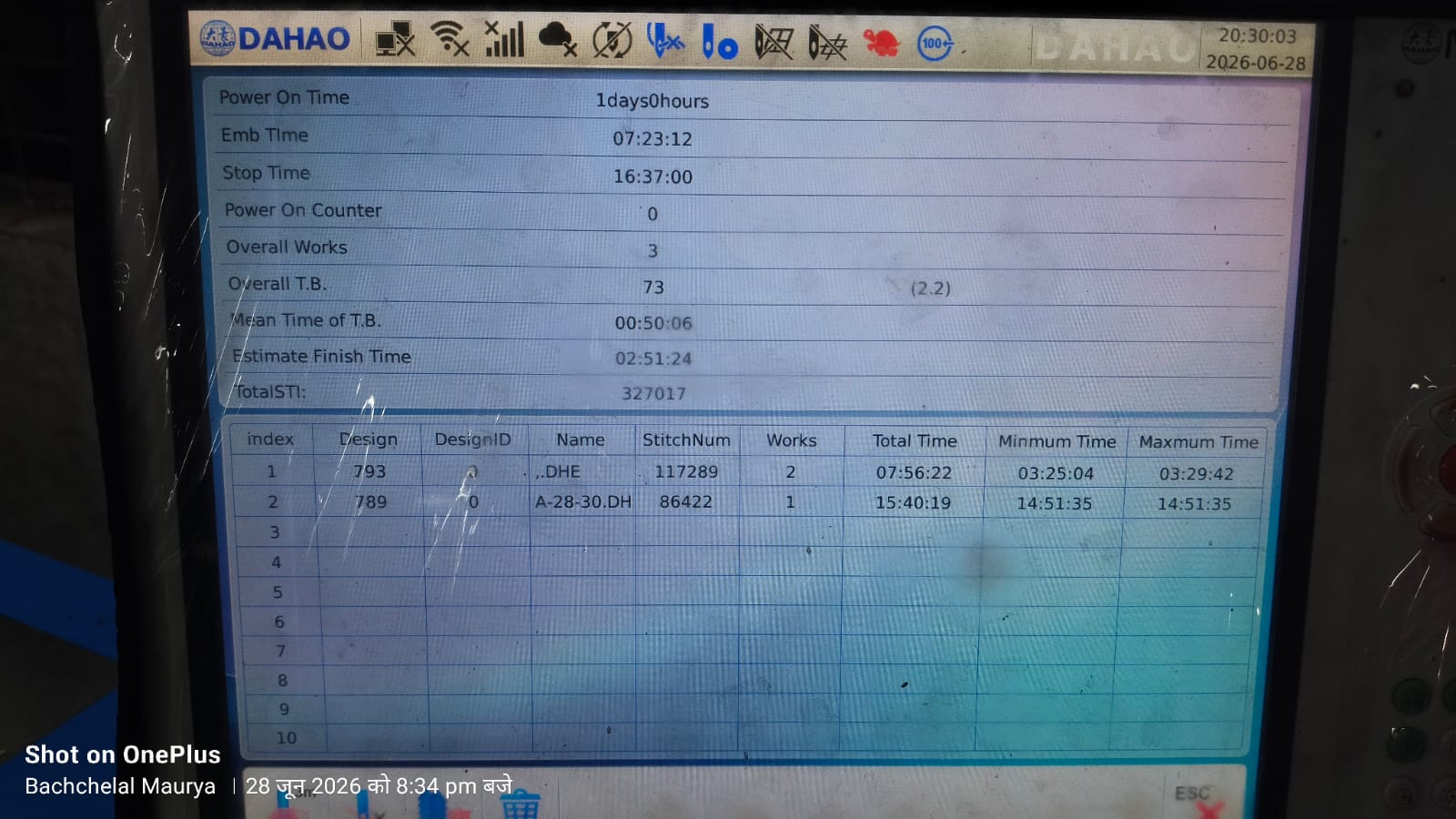
Photograph the machine's screen and Apex reads stitches, times, frames and design number off it on-device, then fills the entry in for you. Nothing leaves the phone to be recognised.
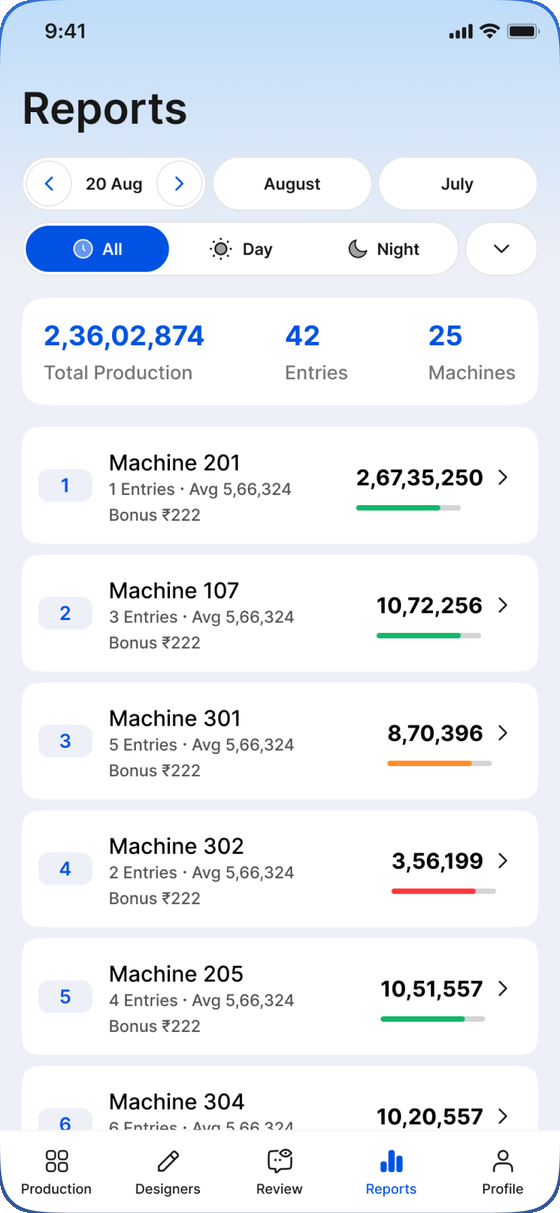
Download a sample panel photo ↓Rank machines against each other, break a month down by karigar and shift, and see any day's average against the day before. Print it or send the whole table to WhatsApp.
Entries captured with no signal are written to disk and sync themselves the moment the phone gets a connection. Nothing typed on the floor is ever lost to a bad corner of the shed.
Split the floor into named departments and give an operator a login that only reaches theirs. Owners see everything; operators see their own patch.
Every organization's records are separated by row-level security in the database itself. Logins are by phone number and are created by your organization's owner — the apps themselves have no sign-up.
Managers, supervisors and operators use Apex. Karigars get Apex Staff, a much smaller app that does one job well.
Workforce and Production, under one login.
Sign in with a phone number and a 4-digit PIN.
Designed to be read at arm's length under factory lights, and used with one hand.
The owner registers on the web and becomes the first administrator. That starts a 30-day free trial with everything switched on.
Open the app, enter your phone number and password, and you are inside your organization's data. The owner creates every other login — supervisors, operators and karigars.
Build the staff directory and the machine list, set departments and salary rates. Everything after that comes from ordinary daily use.
Hajari, upad and production go in as they happen. At month-end the salary report is already calculated — save it and share the slips.
Available on the platforms your team already uses
Start a 30-day trial for your business, or get in touch if you would rather we set it up with you.
Email hello@16pixel.design